For a step-by-step workflow, read Set up your first project. For current provider support, consult Capabilities; this chapter describes reviewed surfaces and their limits.
Command Center
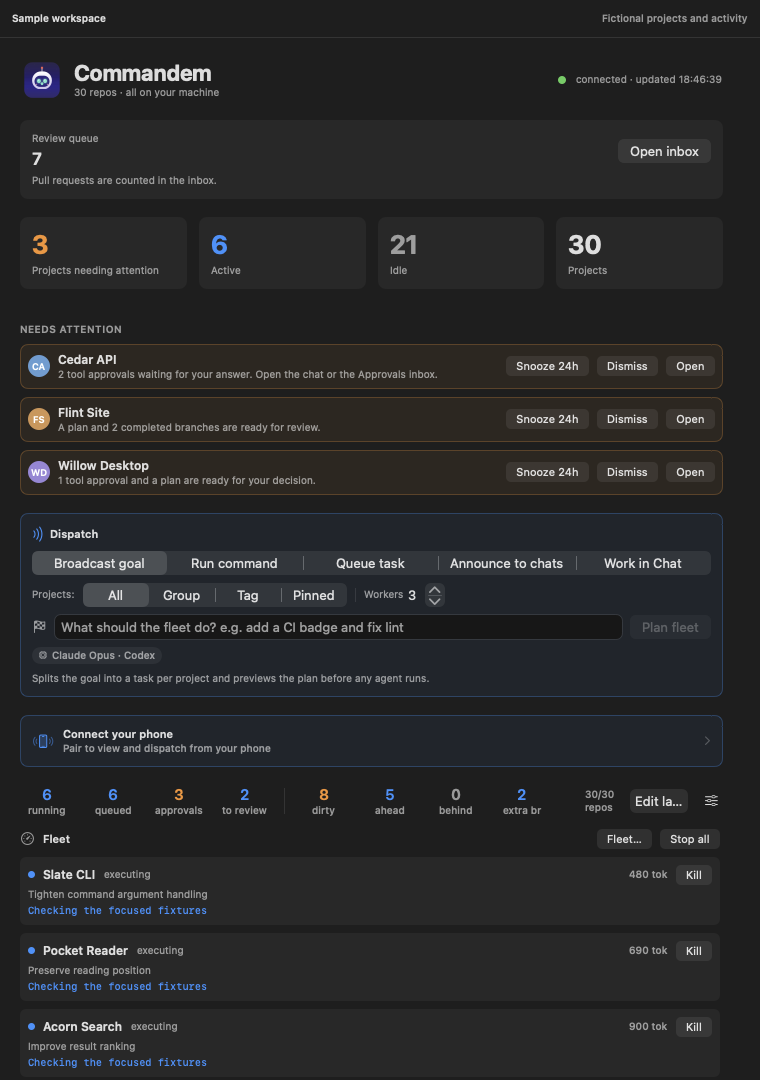
Open Command Center from the palette or return to Overview with no project selected. Home aggregates work needing attention and offers configurable widgets. Selecting a card follows its underlying project, run or message; it is not a second authority or data store.
The model summary shows global planner and worker defaults; hover for their roles and scope. Projects can override those defaults. The Review queue total excludes pull requests; Open inbox includes pull-request checks and may show a different total.
Boundary and recovery: Use the original run or project to resolve a problem. A quiet Home card does not prove the underlying failure is repaired.
Monitor
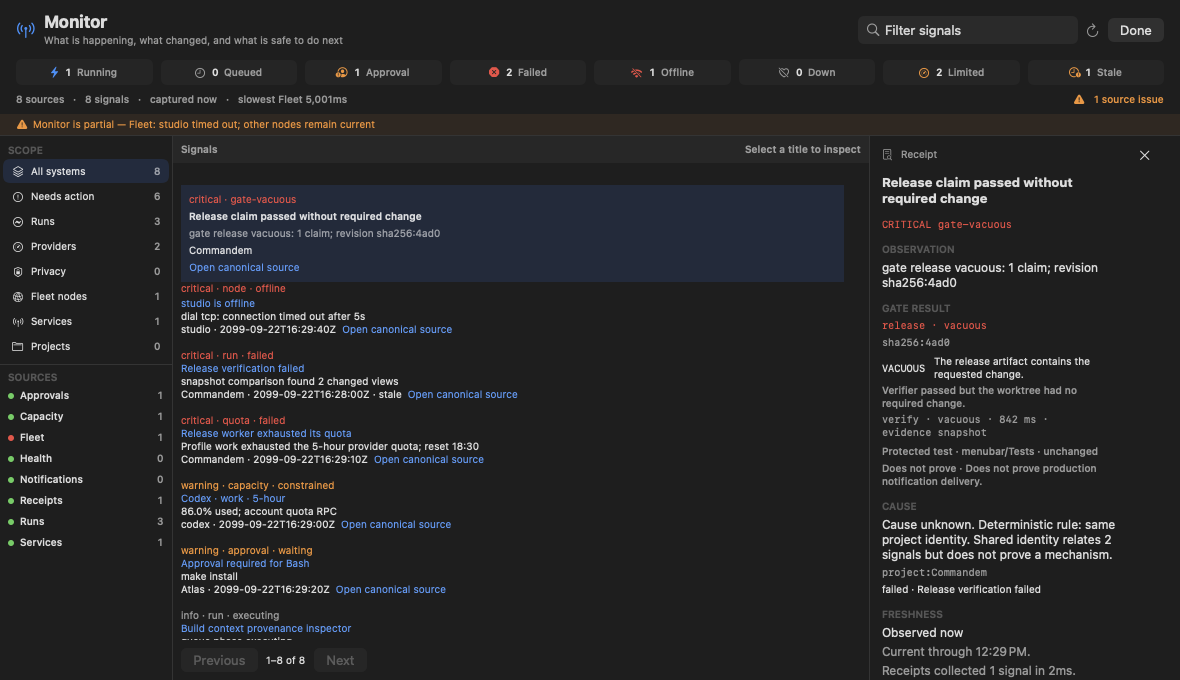
Open Monitor from the palette for project health, agent runs and signals. Inspect a signal's source and timestamp before acting; filtered or paged lists are bounded views, not full archives.
Boundary and recovery: A stalled observation is not permission to restart an experiment. Preserve run evidence and coordinate ownership before retrying.
Inspect sources and refresh local usage evidence
With Commandem installed, this global snapshot needs no project placeholder. It reads available run, approval, provider-capacity and health evidence.
Inspection with local maintenance writes.
commandem observe --jsonExpected result: A versioned JSON snapshot with each source's count, timing, freshness and any partial error. Unknown or unavailable data is not a successful health check. This can refresh the local usage-estimate cache and contact configured fleet nodes or native Codex quota telemetry. It does not send a model turn, edit project files or change notification read state.
Replay
Replay reconstructs a run's recorded events, gate evidence and known causes. Open a run or receipt first when investigating why work stopped; distinguish recorded causal links from inferred explanations.
Boundary and recovery: Missing events remain unknown. A replay is evidence navigation, not execution rollback or guaranteed reproduction.
Reconstruct a recorded run
Replace RUN_ID with a recorded ID from the run queue. The event cap keeps this inspection bounded.
Read-only inspection.
commandem replay RUN_ID --json --max-events 40Expected result: A bounded timeline with recorded evidence and explicit gaps. This reads the run; it does not resume the agent or repair missing transcript events.
Experiments
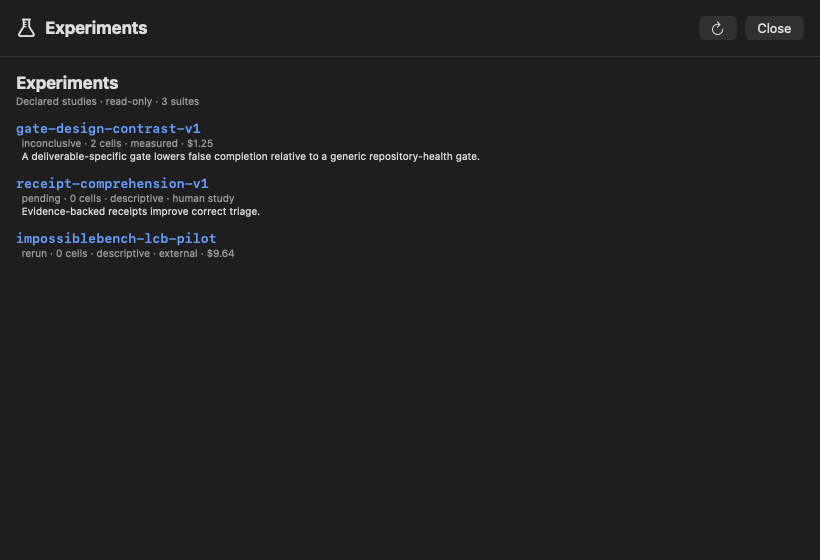
Use the Experiments workspace to find suites and recorded runs, then inspect their design, controls, outcomes and artifacts. The workspace indexes evidence; it does not make a result valid merely because a runner completed.
Boundary and recovery: Validate discrimination and treatment delivery before scaling. Infrastructure failures and unadjudicated rows are not model failures; dated research pages are not a live scoreboard.
Automations
Automations explains triggers and their effects. Inspect the trigger, project scope, configured action and resulting receipt before enabling recurring work. Scheduling preferences and notification schedules do not grant tool authority.
Boundary and recovery: Scheduled work can spend quota or alter state. Check whether a particular adapter is implemented; a planned automation is not an active scheduler.
Check which interactions were recorded
This content-free lifecycle inspection requires no project selection. It is useful when a surface appears to work but its resulting action is unclear.
Read-only inspection.
commandem metrics --jsonExpected result: Coverage and outcome summaries from local interaction journals. Missing observations remain missing; this command neither enables scheduling nor starts work.
Matrix
Matrix relates conversation evidence across projects and providers. Use relationships to find candidate context, inspect source evidence and review a handoff before another agent receives it.
Boundary and recovery: The reviewed baseline uses deterministic relationships. Do not describe it as a trained GNN without a qualified model and held-out evaluation.
Fleet
Fleet is the standing-capacity and bounded-fan-out workspace, peered with the per-launch Swarm record view: Overview lists registered nodes and surfaces with an active-swarms strip, and Swarms lists dispatched swarms with a read-only detail (workers, phases, verdict and receipt totals) for a selected one. This is a review surface; starting, steering, killing, budgeting or adding/removing workers from here is not yet exposed.
Boundary and recovery: A listed node or surface is a registered capacity entry, not proof it is currently reachable. Use commandem fleet or commandem swarm to confirm live state before depending on it.
Home widgets
Home declares seventeen widgets. Show/hide and reorder them using Home customization; compact, regular and wide layouts change presentation rather than their data sources. Fleet through Next action, Machine and CLIs, Monitors and deploys, and Spend are default-visible. Stalled, Repositories and Reminders are opt-in. A one-time upgrade migration turns on Machine and CLIs, Monitors and deploys, and Spend in existing saved layouts, including previously hidden choices. After that migration, hiding them again is preserved across launches.
Fleet
Project health and attention summary; open the source project to investigate a condition. Customize visibility instead of assuming a hidden widget has no data. Follow the underlying record for exact identity, authority and recovery.
Committee audit
Review-oriented overview; inspect the referenced work and approvals before accepting a conclusion. Customize visibility instead of assuming a hidden widget has no data. Follow the underlying record for exact identity, authority and recovery.
Approvals
Pending requests for tool authority. Decide on the exact operation, not all future requests. Customize visibility instead of assuming a hidden widget has no data. Follow the underlying record for exact identity, authority and recovery.
Live chats
Active conversation entry points. Opening a chat is different from authorizing a new turn. Customize visibility instead of assuming a hidden widget has no data. Follow the underlying record for exact identity, authority and recovery.
Messages
Unread board messages. Mark read preserves the underlying board history. Customize visibility instead of assuming a hidden widget has no data. Follow the underlying record for exact identity, authority and recovery.
Recent lessons
Recorded reusable project knowledge. Treat older lessons as evidence to review, not unconditional authority. Customize visibility instead of assuming a hidden widget has no data. Follow the underlying record for exact identity, authority and recovery.
Live flow
Work progression across tracked projects. Verify underlying run states when exact execution matters. Customize visibility instead of assuming a hidden widget has no data. Follow the underlying record for exact identity, authority and recovery.
Branches
Agent branch/review visibility. A branch listing does not prove it is safe or tested. Customize visibility instead of assuming a hidden widget has no data. Follow the underlying record for exact identity, authority and recovery.
Usage
Provider/account usage evidence. Reported quota, estimates and unknown values are distinct. Customize visibility instead of assuming a hidden widget has no data. Follow the underlying record for exact identity, authority and recovery.
Inbox
Work that needs human review. Dismissal is not a merge or approval. Customize visibility instead of assuming a hidden widget has no data. Follow the underlying record for exact identity, authority and recovery.
Next action
A proposed next step from current status. A recommendation is not permission to run it. Customize visibility instead of assuming a hidden widget has no data. Follow the underlying record for exact identity, authority and recovery.
Stalled
Potentially stalled work. Inspect heartbeat and logs before restarting owned processes. Customize visibility instead of assuming a hidden widget has no data. Follow the underlying record for exact identity, authority and recovery.
Repositories
Repository context and status. Confirm the actual worktree before applying Git operations. Customize visibility instead of assuming a hidden widget has no data. Follow the underlying record for exact identity, authority and recovery.
Reminders
Time-based prompts for follow-up; not proof an external task ran. Customize visibility instead of assuming a hidden widget has no data. Follow the underlying record for exact identity, authority and recovery.
Machine and CLIs
Local resource observations. High utilization needs process evidence before attributing it to a study. Customize visibility instead of assuming a hidden widget has no data. Follow the underlying record for exact identity, authority and recovery.
Monitors and deploys
Active monitoring context. A watcher expiring does not necessarily stop the work it observed. Customize visibility instead of assuming a hidden widget has no data. Follow the underlying record for exact identity, authority and recovery.
Spend
Available cost evidence. Subscription use may have no dollar meter; unknown cost is not free execution. Customize visibility instead of assuming a hidden widget has no data. Follow the underlying record for exact identity, authority and recovery.